


10 Moving Head Lighting Tips Every Lighting Designer Should Know


Moving head lights have become the backbone of modern stage lighting systems, powering concerts, festivals, theaters, nightclubs, and television productions worldwide. Their ability to pan, tilt, change color, project gobos, and create dynamic beam effects makes them one of the most versatile tools in professional lighting design.
However, owning moving head fixtures is not enough to achieve professional results. The real difference between a beginner setup and a world-class lighting show comes from how designers use, program, and control these fixtures.
In this guide, we break down 10 practical, industry-tested moving head lighting tips that professional lighting designers use to improve creativity, efficiency, and show quality.
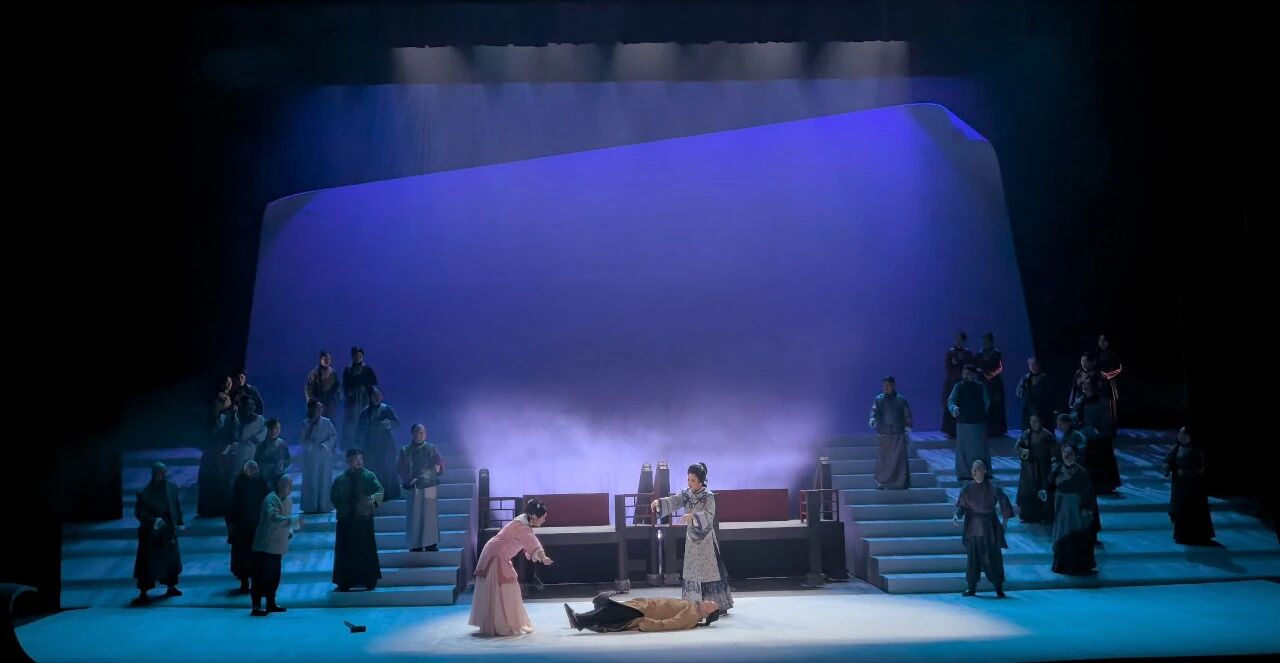
1. Always Start with a Clear Lighting Concept
Before touching any fixture or lighting console, define the creative direction of your show.
Ask yourself:
- What emotion should the audience feel?
- Is the show energetic, dramatic, or cinematic?
- What is the role of lighting in storytelling?
- Should lighting support music or lead the visual experience?
Professional designers never start with fixtures—they start with intent.
A clear concept ensures that beam, spot, wash, and effect lights all serve a unified visual goal.
2. Balance Beam, Spot, and Wash Fixtures Properly
One of the most common mistakes in moving head lighting design is overusing one fixture type.
A balanced system typically includes:
- Beam Moving Head Lights → aerial energy and movement
- Spot Moving Head Lights → gobos and visual storytelling
- Wash Moving Head Lights → smooth stage coverage
| Fixture Type | Primary Role |
|---|---|
| Beam | Energy, aerial effects |
| Spot | Projection, visuals |
| Wash | Color and coverage |
A balanced mix creates depth, clarity, and visual hierarchy on stage.
3. Use Beam Lights to Create Structure, Not Chaos
Beam moving head lights are powerful, but overuse can make a stage look chaotic.
Professional designers use beams to:
- Define stage geometry
- Create symmetry
- Build rhythmic movement
- Highlight musical transitions
Avoid random beam movement. Instead, design structured patterns such as:
- Fans
- V-shapes
- Cross patterns
- Circular motion
Well-designed beam choreography improves visual storytelling dramatically.
4. Layer Your Lighting (Foreground, Midground, Background)
Professional lighting design is always layered.
A strong stage image includes:
- Foreground lighting → performers
- Midground lighting → stage structure
- Background lighting → atmosphere and depth
Moving head lights are especially powerful when used across different depth layers.
For example:
- Spot lights highlight performers
- Wash lights fill the stage
- Beam lights create aerial depth
This layering technique transforms flat lighting into a cinematic experience.
5. Use Gobos for Instant Visual Storytelling
Gobos are one of the most underused tools in stage lighting.
With spot moving heads, designers can project:
- Textures
- Logos
- Patterns
- Architectural shapes
- Atmosphere effects (fog, leaves, fire, etc.)
Instead of only using color changes, gobos allow lighting to “tell a story.”
For example:
- Corporate event → logo projection
- Theater → window or forest patterns
- Concert → abstract textures synced with music
6. Master DMX Addressing Before Programming
Poor DMX setup leads to programming chaos.
Always ensure:
- Each fixture has a unique DMX address
- Universes are correctly assigned
- Channel maps are documented
- Fixture profiles match actual hardware
| Mistake | Result |
|---|---|
| Duplicate addresses | Fixtures mirror incorrectly |
| Wrong universe | No response |
| Incorrect profile | Broken controls |
Good DMX structure = smooth programming workflow.
7. Use Presets to Speed Up Programming
Professional lighting designers never build cues from scratch every time.
Instead, they use:
- Position presets
- Color palettes
- Beam shapes
- Gobo libraries
Example presets:
- Center stage focus
- Drum kit spotlight
- Audience sweep
- Full white wash
- Deep blue atmosphere
Presets allow instant consistency across multiple cues.
8. Avoid Over-Programming Every Fixture
A common beginner mistake is using every fixture in every cue.
Professional designers know:
Less is more.
Instead of activating all lights:
- Use selective fixture groups
- Leave negative space
- Control visual focus
This improves clarity and prevents visual fatigue.
9. Sync Moving Heads with Music Rhythm
Modern lighting is tightly connected to music structure.
Use BPM-based design:
- 1–4 bars → slow movement
- Build-up → increasing intensity
- Drop → full beam + strobe burst
- Breakdown → minimal wash lighting
When moving heads are synchronized with music, lighting becomes part of the performance itself.
10. Test Movement Paths Before the Show
One of the most overlooked professional habits is testing movement ranges.
Before live performance:
- Check pan/tilt limits
- Avoid fixture collision
- Test full sweep angles
- Verify speed curves
- Ensure smooth transitions
This prevents mechanical errors and ensures safe operation during live events.
Bonus Tip: Use Lighting Control Consoles Efficiently
A powerful lighting control console is essential for professional moving head operation.
Modern consoles allow:
- Multi-universe control
- Real-time fixture programming
- Effect generation
- Cue playback
- Timecode synchronization
Professional systems like advanced DMX-based consoles help designers manage complex shows efficiently and creatively.
Frequently Asked Questions
What are moving head lights used for?
Moving head lights are used in concerts, theaters, clubs, and events to create dynamic lighting effects such as beams, color changes, gobos, and motion-based visuals.
What is the most important moving head lighting tip?
The most important tip is to start with a clear lighting concept before selecting or programming fixtures.
How many moving head lights do I need?
It depends on venue size. Small venues may need 4–8 fixtures, while large concerts may require dozens or even hundreds.
What is the difference between Beam, Spot, and Wash moving heads?
Beam lights create narrow aerial effects, Spot lights project gobos and visuals, and Wash lights provide smooth color coverage.
Do I need a lighting control console for moving heads?
Yes. A lighting control console (or DMX lighting console) is required to control movement, color, and effects professionally.
Can moving head lights work without DMX?
Some fixtures have standalone or sound-active modes, but professional shows always rely on DMX or network control systems.
Internal Linking (SEO Cluster Strategy)
This article supports your full stage lighting content hub.
Recommended Internal Links
- Top Professional LED Moving Head Lights for Concerts, Theaters and Events
- Types of Moving Head Lights Explained: Beam, Spot, Wash and Hybrid Fixtures
- Beam vs Spot vs Wash Lights: Complete Stage Lighting Selection Guide
- How to Choose the Right LED Moving Head Light: Complete Buying Guide
Product Pages
- Beam Moving Head Lights
- LED Moving Head Lights
- Spot / Wash Moving Head Lights
- Lighting Control Consoles
- DMX Lighting Consoles
About FINE ART Lighting
FINE ART Lighting is a professional manufacturer of advanced stage lighting equipment and intelligent entertainment systems. With over 20 years of experience, we specialize in designing and producing high-performance lighting solutions for concerts, theaters, TV studios, clubs, and large-scale live events.
Our product range includes:
- LED Moving Head Lights
- Beam / Spot / Wash Fixtures
- LED Effect Lights
- Strobe Effect Lights
- Professional Lighting Control Consoles
- DMX Lighting Systems
- Intelligent Follow Spot Systems
By combining optical innovation, intelligent control technology, and reliable engineering, FINE ART Lighting helps lighting designers create powerful, efficient, and visually stunning stage productions worldwide.
🌐 Website: https://www.fineart-light.com/


