


Lighting Previsualization Software & 3D Visualization: Zero-Error Stage Design


This article systematically analyzes three mainstream professional lighting previsualization software in the industry, sorts out the standard 3D pre-production workflow, explains the seamless linkage with the TEKMAND AI intelligent console, and verifies the practical value of 3D visualization technology through real stage design cases.
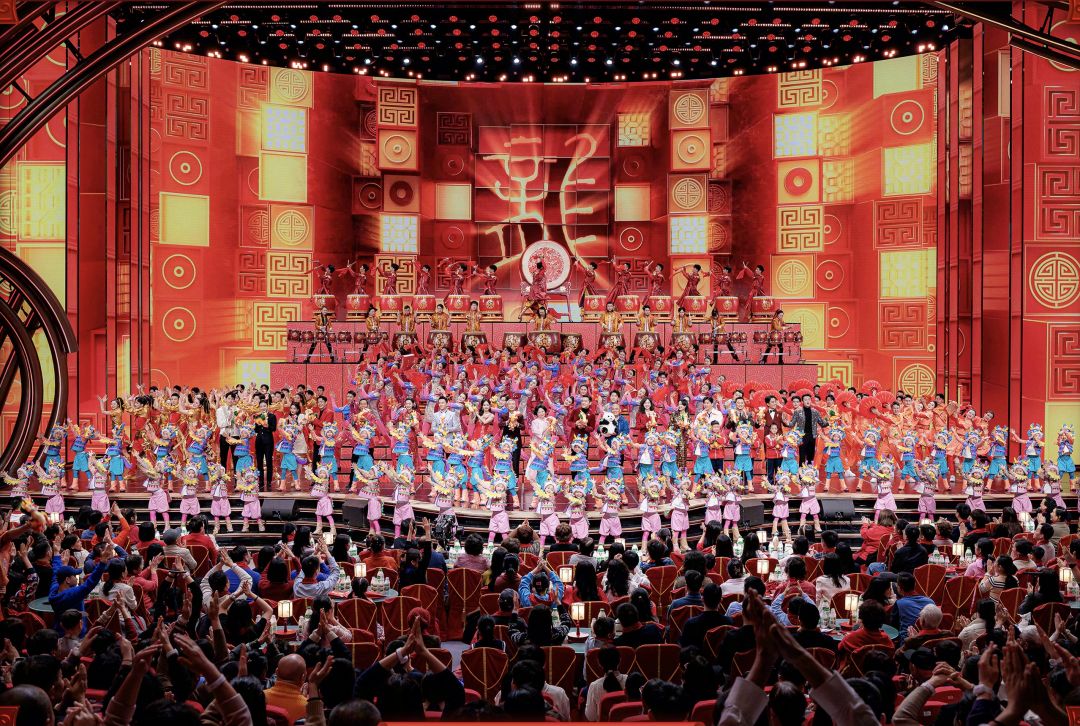
1. Mainstream Lighting Previsualization Software Comparison (Vectorworks vs Depence 2 vs Capture)
|
Software Name
|
Core Advantages
|
Functional Characteristics
|
Applicable Scenarios
|
Industry Positioning
|
|---|---|---|---|---|
|
Vectorworks
|
Powerful 2D/3D integrated modeling, accurate venue structure mapping, complete stage engineering drawing output
|
Supports precise venue size modeling, standard fixture parameter configuration, professional construction drawing generation, and basic lighting effect preview; compatible with most stage lighting fixture parameter libraries
|
Theater fixed stage design, venue renovation engineering, standardized theatrical performance project design
|
Professional stage engineering modeling & drawing tool
|
|
Depence 2
|
Ultra-high real-time rendering fidelity, realistic smoke beam simulation, dynamic program rhythm preview
|
Restores real stage atmosphere, supports dynamic lighting program editing, synchronous music rhythm matching, and complex aerial beam effect simulation; excellent in immersive visual restoration
|
Concert tours, large-scale opening and closing ceremonies, high-standard dynamic stage effect design
|
High-fidelity dynamic effect previsualization tool
|
|
Capture
|
Lightweight operation, fast preview, efficient console data linkage, low computer configuration requirements
|
Simple and intuitive operation logic, supports real-time DMX signal preview, one-click synchronization with professional lighting consoles, fast program debugging and effect verification
|
TV studio recording, small and medium-sized theatrical performances, temporary event rapid pre-production
|
Efficient real-time linkage preview tool
|
Software Selection Suggestion: For engineering-based fixed venue projects, prioritize Vectorworks for accurate modeling and drawing output; for dynamic effect-oriented performance projects such as concerts, choose Depence 2 for high-fidelity atmosphere preview; for fast debugging and studio daily production, Capture is the most cost-effective and efficient choice.
2. Standard Zero-Error Workflow of 3D Stage Visualization Design
2.1 Venue 1:1 3D Modeling & Fixture Layout
2.2 Offline Lighting Program Editing & Effect Simulation
2.3 System Linkage Debugging & Error Troubleshooting
2.4 One-Click Data Synchronization & On-Site Docking
After the virtual design scheme is confirmed, export the standardized program data and fixture parameter configuration, which can be directly synchronized to the on-site lighting console, realizing seamless docking between virtual design and actual construction, ensuring consistent effect restoration and truly achieving zero-error stage design.
3. Core Advantage: Seamless Linkage Between 3D Previsualization & TEKMAND AI Intelligent Console
3.1 Real-Time Data Synchronization
3.2 AI-Assisted Effect Optimization
3.3 Dual-Scene Synchronous Debugging
Support dual-terminal synchronous operation of virtual 3D scene and on-site actual equipment. Adjustments on the console can be synchronized to the previsualization software in real time, and virtual effect optimization can also be fed back to the actual control system, realizing two-way efficient debugging and eliminating effect deviation.
4. Practical Application Cases of 3D Lighting Previsualization
4.1 TV Studio Fixed Lighting Design
4.2 Theater Theatrical Performance Design
4.3 Large-Scale Concert Tour Projects
Touring projects have frequent venue replacements and tight construction cycles. The 3D previsualization system can quickly complete venue adaptation and scheme adjustment, realize rapid replication of mature lighting schemes in different venues, greatly shorten the on-site setup cycle, and ensure stable and consistent performance effects of national tours. For tour equipment maintenance matching previsualization schemes, check our stage lighting system maintenance guide.
5. Core Value of Zero-Error 3D Stage Design
- Eliminate on-site rework: Complete all scheme verification and error correction in the virtual stage, avoid material waste and labor loss caused by design errors
- Shorten project cycle: Offline pre-production greatly reduces on-site debugging time, improving the overall delivery efficiency of stage production projects
- Standardize design effects: 1:1 virtual restoration ensures consistent presentation of design schemes and on-site effects, avoiding subjective deviation
Reduce project costs: Save manpower, time and material costs generated by repeated adjustments, improving the profit margin of production projects
FAQs
Q1: Which lighting previsualization software is the most suitable for beginners?
Capture has low configuration requirements and simple operation logic, which is very suitable for beginners and daily studio rapid debugging; Depence 2 and Vectorworks require professional learning and are more suitable for senior designers and engineering projects.
Q2: Can 3D previsualization effects be 100% restored on site?
Professional software can restore more than 98% of the lighting effect details. Combined with the accurate data linkage of the TEKMAND intelligent console, the on-site effect is highly consistent with the virtual preview, realizing zero-error design delivery.
Q3: Is 3D previsualization necessary for small and medium-sized stage projects?
Yes. Even for small projects, pre-preview can avoid basic layout errors and program rhythm errors, effectively improve construction efficiency, and is an essential tool for standardized theatrical lighting design.
Q4: Does TEKMAND console support all mainstream previsualization software?
The TEKMAND AI intelligent console is fully compatible with Capture, Depence 2 and Vectorworks, realizing one-click data synchronization and real-time linkage debugging, adapting to all mainstream 3D design workflows in the industry.
About FINE ART Lighting
FINE ART Lighting is a professional intelligent stage lighting manufacturer committed to digital stage solution innovation. We independently develop TEKMAND AI intelligent lighting console and full-series professional stage lighting fixtures, and realize seamless linkage with industry-leading 3D lighting previsualization software. With more than 600 independent intellectual property rights, our products are widely used in theatrical performances, TV studios, concert tours and large-scale event stage production projects worldwide.


